How to Add New App Profiles

theEMPLOYEEapp allows clients to have multiple app profiles. Please note these do come at an extra cost, so please talk to your Client Success Account Manager about how to use these strategically.
But if you are ready to add additional profiles, follow these steps. Note: You must be a System Administrator to be able to make this change.
- Log in to the content management system (CMS).
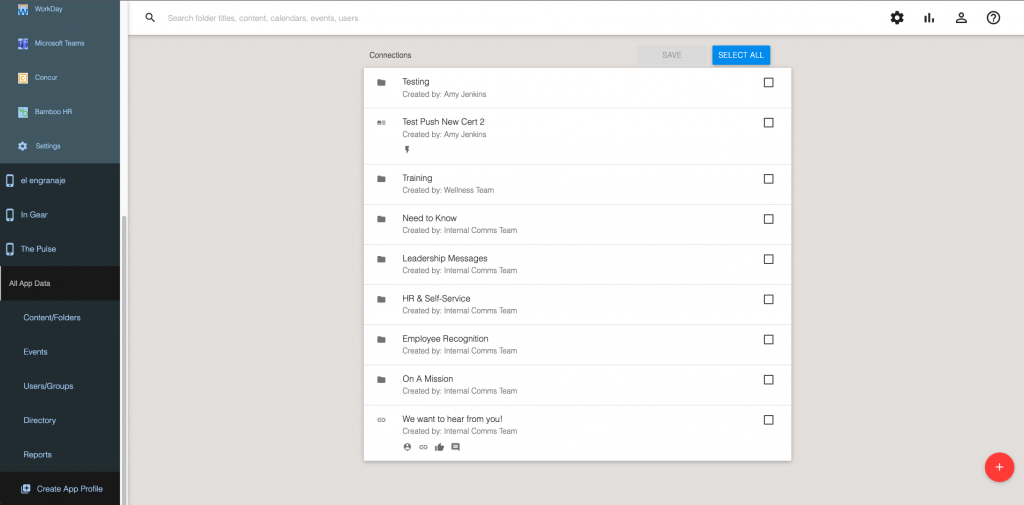
- Navigate to the left-side menu and scroll down to the bottom.
- Click “Create App Profile.”
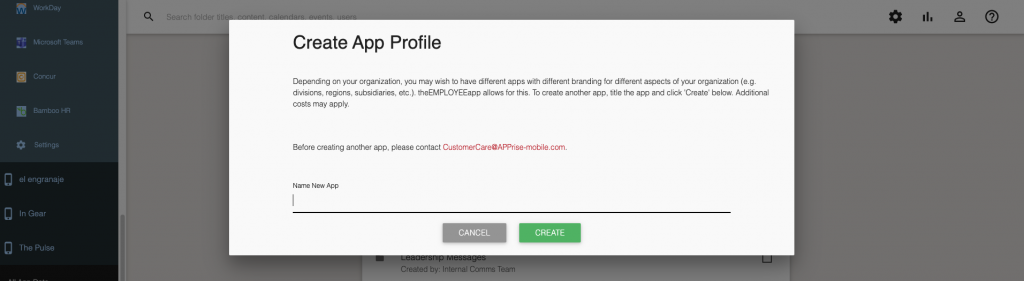
- Name your new profile.
- Click “Create.”
If you have any questions, please let us know.
Comments are closed.