How to Enable a Directory

You can add your own company directory to your app much like you can add a user/group CSV file. Here’s how you can turn this on in your app.
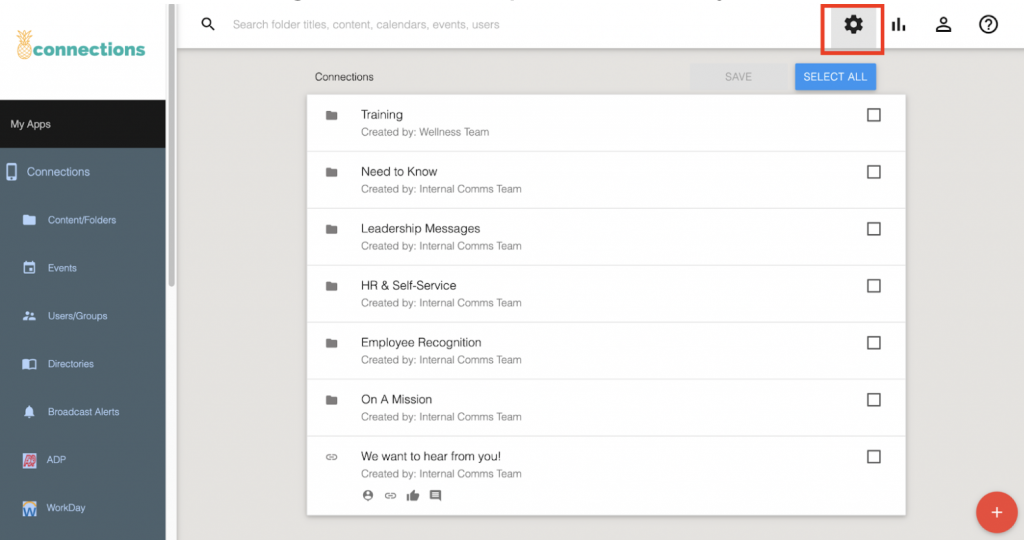
Step 1: Click on the settings icon in the top left corner of the content management system (CMS).
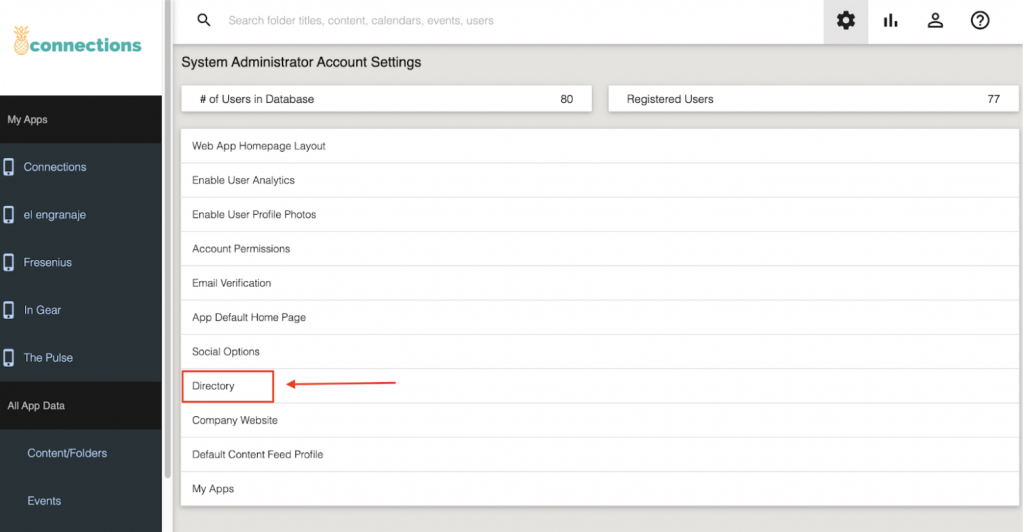
Step 2: Click on “Directory.”
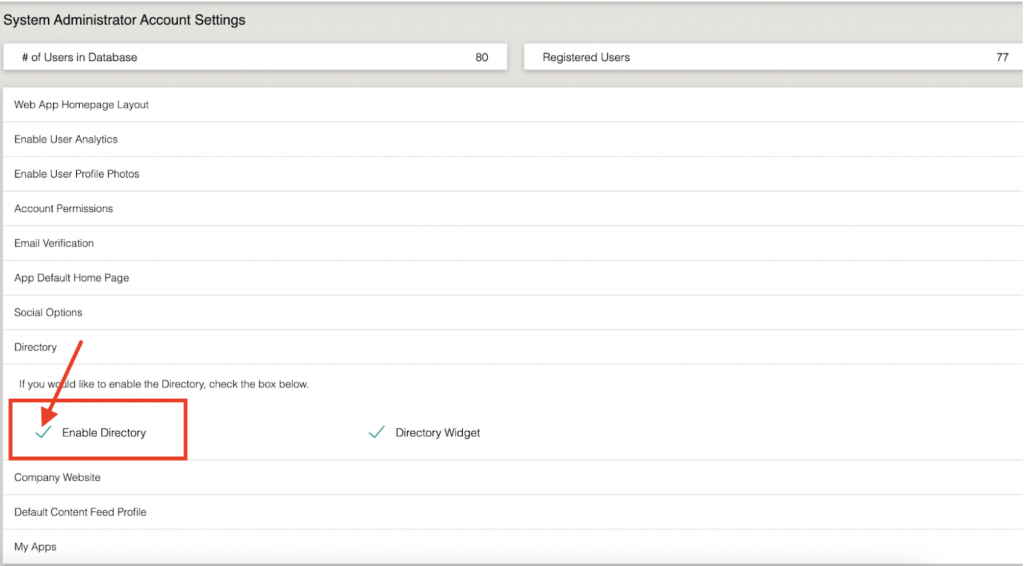
Step 3: Select “Enable Directory.”
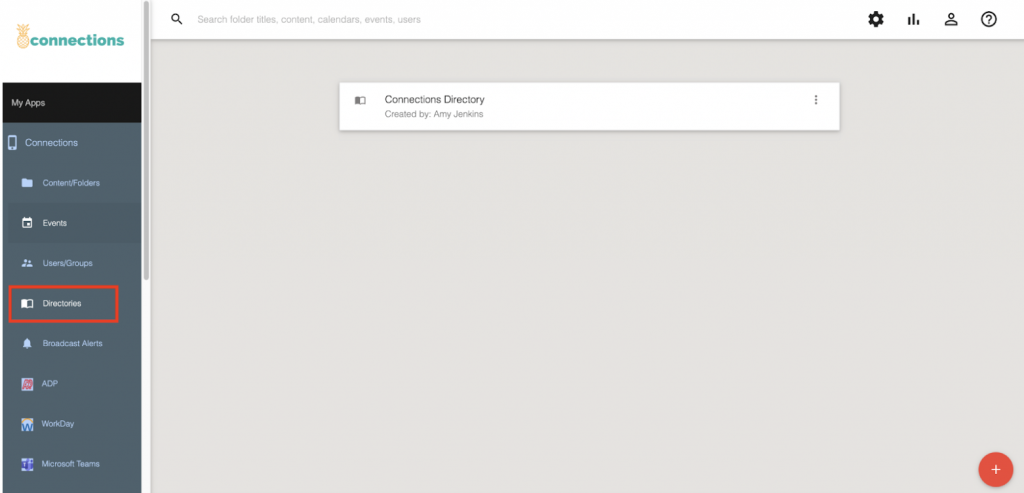
Once the Directory is enabled, the Directories tab will appear in the side navigation of each of your app profiles.
If you need any assistance, please reach out to your client success account manager.
Comments are closed.